
Download Super Screen Recorder – Free Screen Capture & Video Recording Tool for Windows
Super Screen Recorder is a lightweight, user-friendly screen recording software designed specifically for Windows users. This trial version tool allows you to capture your screen activity, record video calls, tutorials, gameplay, and more with ease. Developed by Zeallsoft, the software has been a reliable choice for millions of users since its initial release in 2007.
Despite its age, it continues to be a popular option due to its simplicity and efficient performance. With a current version of 4.0 and last updated on March 26, 2007, Super Screen Recorder remains a solid choice for basic screen recording needs. It supports older Windows systems, including Windows 95 and above, making it accessible to users with legacy hardware.
The software is available in English and requires minimal system resources, making it ideal for users who prefer a no-frills recording experience. Whether you're a student, educator, or content creator, Super Screen Recorder offers a straightforward way to record your screen without the complexity of modern alternatives.
Key Features of Super Screen Recorder
Super Screen Recorder stands out in the crowded field of screen recording tools thanks to its clean interface and essential functionality. One of its core strengths is its ability to record your entire screen or a selected region with high clarity. The software supports real-time video capture, allowing you to record live streaming sessions, online lectures, or gameplay without lag. It also includes built-in audio recording, capturing both system sounds and microphone input, which is perfect for creating voice-over tutorials or podcast-style content. The software allows you to save recordings in popular formats such as AVI and WMV, ensuring compatibility with most media players and editing software.
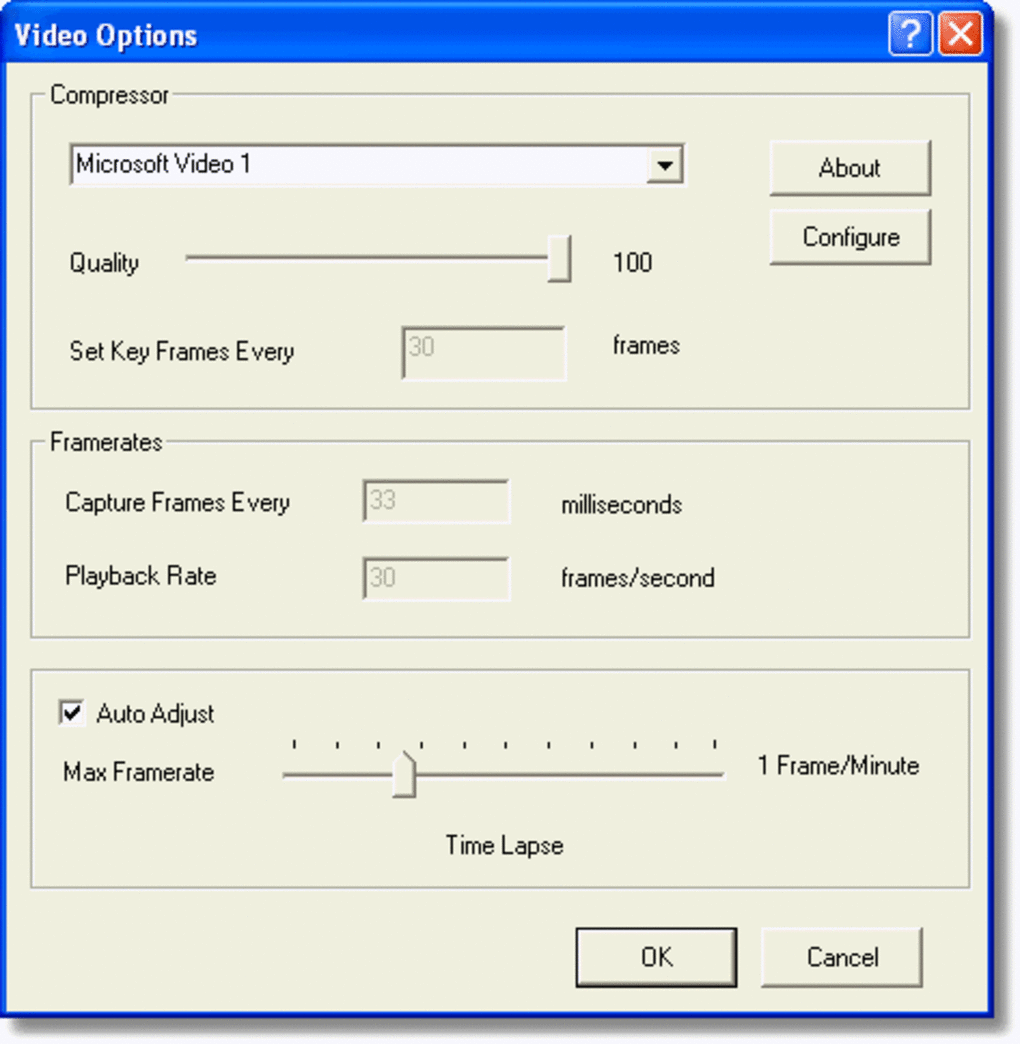
Another notable feature is the customizable recording settings. Users can adjust frame rates, resolution, and bitrate to balance quality and file size. For those on older hardware, the low resource usage ensures smooth operation without overloading the system.
The trial version includes all core features, giving users a full experience before deciding on a purchase. Additionally, the software offers a simple playback function, allowing you to review your recordings immediately after capture. While it lacks advanced editing tools, the focus on core recording functionality makes it ideal for users who prioritize reliability over complexity.
With its straightforward setup and minimal learning curve, Super Screen Recorder is a great starting point for beginners.
For educators and remote workers, the ability to record step-by-step guides or training sessions is invaluable. The software’s stability and consistent performance make it a trusted tool across various industries. Although it hasn’t seen a major update in over 15 years, its core features remain effective for everyday use. The lightweight nature of the program ensures it runs smoothly even on older Windows machines, which is a significant advantage for users who can’t upgrade their systems. Overall, Super Screen Recorder delivers on its promise: a simple, secure, and free way to record your screen with minimal hassle.
How to Install and Use Super Screen Recorder
Installing Super Screen Recorder is a quick and straightforward process. Begin by downloading the trial version from a trusted source. Ensure your system meets the minimum requirements—Windows 95 or later—and that you have at least 10 MB of free disk space.
Once downloaded, run the installer file and follow the on-screen prompts. The installation process takes less than a minute and doesn’t require any advanced technical knowledge. After installation, launch the application from your desktop shortcut or Start menu.
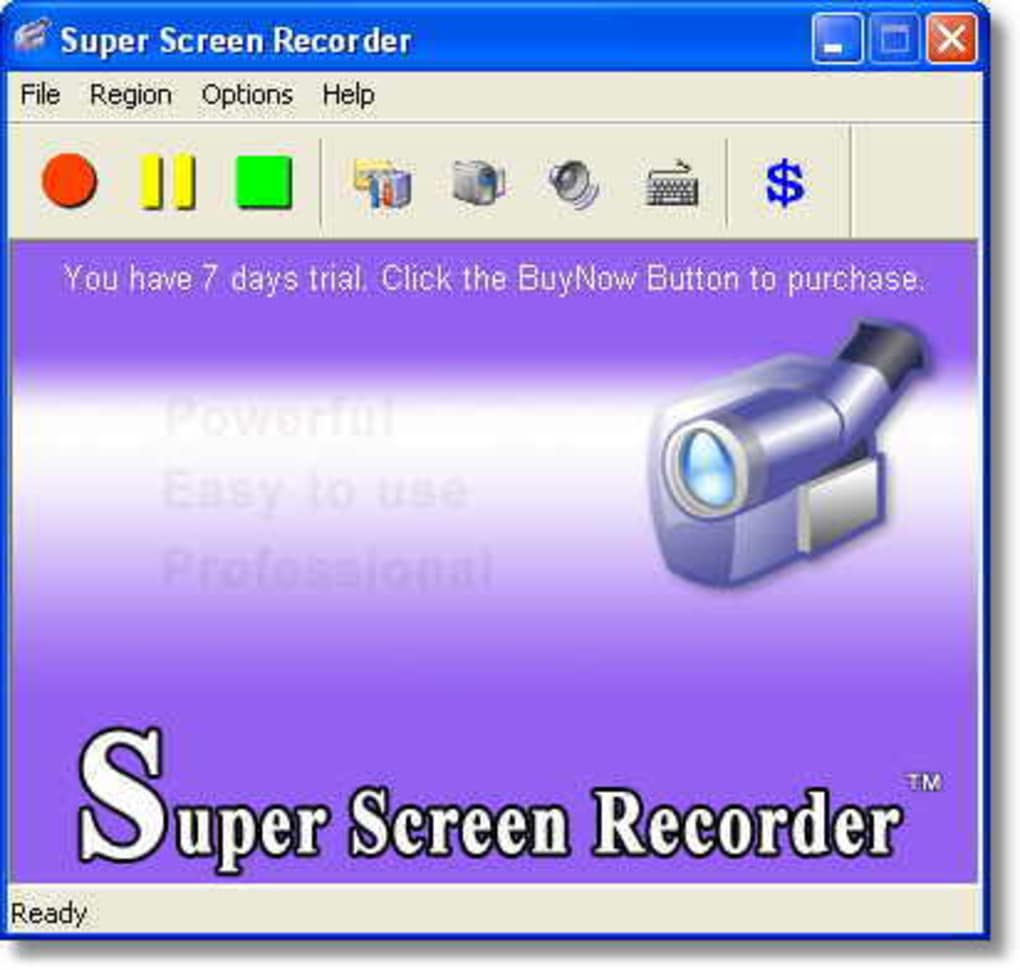
Upon opening, you’ll be greeted with a clean, minimal interface. To start recording, click the “Record” button and choose your recording mode: full screen, region, or window. You can also select audio sources—system audio, microphone, or both.
The software includes a countdown timer to give you time to prepare before recording begins. Once started, a small overlay will appear on your screen, showing the recording status and elapsed time. To stop, simply click the “Stop” button or use a predefined hotkey (usually F9).
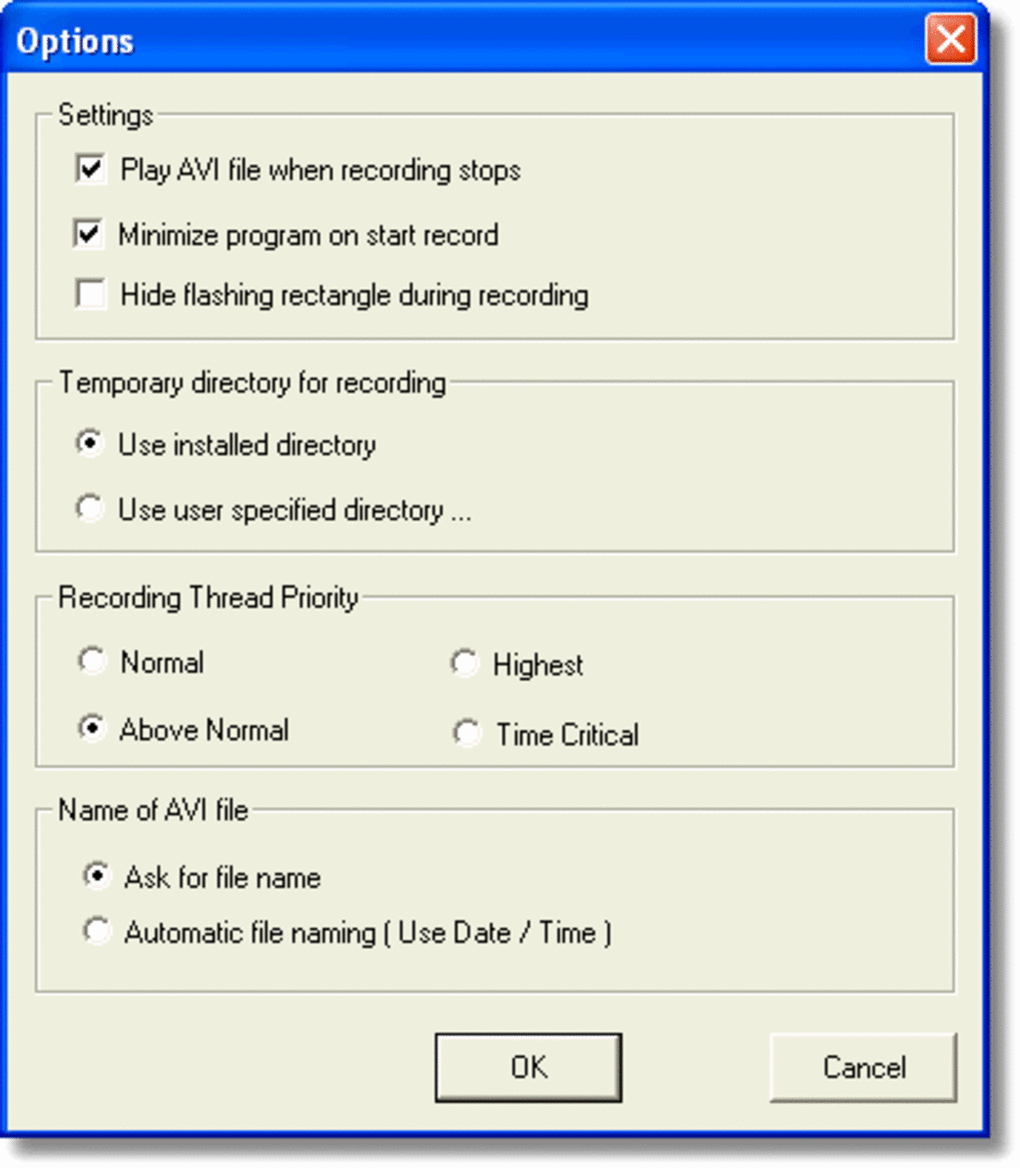
After recording, the file is automatically saved to your chosen folder in AVI or WMV format. You can preview the video directly within the app before exporting or sharing. For users who want to customize settings, access the “Settings” menu to adjust resolution, frame rate, and audio quality.
The software also allows you to set a custom save location and file naming convention. While the interface is simple, it’s highly intuitive, making it easy for first-time users to get started. Whether you’re recording a tutorial, capturing a video call, or saving gameplay, Super Screen Recorder streamlines the entire process with minimal steps.
Compatibility and System Requirements
Super Screen Recorder is designed exclusively for Windows operating systems, making it compatible with a wide range of versions, including Windows 95, 98, ME, 2000, XP, Vista, 7, and later. This broad compatibility is one of its biggest advantages, especially for users still running older systems or working in environments with legacy hardware. The software does not require a powerful CPU or GPU, which means it can run efficiently on low-end machines. It consumes minimal RAM and CPU resources, ensuring that your system remains responsive during recording sessions.
For optimal performance, it’s recommended to have at least 10 MB of free disk space and a stable internet connection if you plan to record online content. The software is lightweight, with a small download size, making it ideal for users with limited bandwidth or storage. While it’s not available for Mac, Android, or iOS, Windows users will find it a reliable tool for screen capture tasks. The English-only interface may be a limitation for non-English speakers, but the simple layout makes navigation intuitive regardless of language.
Despite being last updated in 2007, Super Screen Recorder continues to function without compatibility issues on modern Windows systems through compatibility mode. Users can run it in Windows 10 or 11 by right-clicking the executable, selecting “Properties,” then “Compatibility,” and choosing an older Windows version. This feature ensures that even today’s users can benefit from this classic tool. For those seeking a secure, free, and lightweight screen recording solution for Windows, Super Screen Recorder remains a viable option.
Pros and Cons of Super Screen Recorder
- Pros:
- Lightweight and fast, ideal for older or low-spec systems
- Simple, intuitive interface with minimal learning curve
- Supports both system audio and microphone recording
- Available as a free trial with full feature access
- Compatible with Windows 95 and later versions
- Low disk space and memory usage
- Stable performance with minimal crashes
- Cons:
- No support for modern formats like MP4 or MKV
- Lacks advanced editing features (e.g., trimming, adding effects)
- Outdated interface and design (last updated in 2007)
- No mobile versions for Android or iOS
- Limited customization options compared to modern tools
- Only available in English
Frequently Asked Questions (FAQ)
- Is Super Screen Recorder free to download?
Yes, Super Screen Recorder is available as a free trial version. You can download and use all core features without cost. However, for full access and to remove trial limitations, you may need to purchase a license.
- Can I record audio while recording my screen?
Absolutely. Super Screen Recorder allows you to capture both system audio and microphone input simultaneously, making it ideal for creating voice-over tutorials, online lectures, or gameplay commentary.
- What file formats does Super Screen Recorder support?
The software saves recordings in AVI and WMV formats. While these are widely supported, they are not as efficient as modern formats like MP4. You may need to convert files using another tool if you require MP4 output.
- Is Super Screen Recorder compatible with Windows 10 and Windows 11?
Yes, although it was last updated in 2007, Super Screen Recorder can run on Windows 10 and 11 using compatibility mode. Right-click the executable, go to Properties > Compatibility, and select an older Windows version (e.g., Windows 7).
- Does Super Screen Recorder have built-in video editing tools?
No, it does not include editing features such as trimming, cropping, or adding effects. The focus is purely on recording. For editing, you’ll need to use a separate video editing software.
- Can I use Super Screen Recorder on Mac or mobile devices?
No, Super Screen Recorder is only available for Windows. There are no official versions for Mac, Android, or iOS. Users on other platforms should consider alternatives like OBS Studio or QuickTime (for Mac).
Conclusion: Is Super Screen Recorder Worth Downloading?
Super Screen Recorder remains a solid choice for Windows users seeking a simple, secure, and free screen recording tool. Despite its age and lack of modern features, it delivers reliable performance on older systems and continues to serve millions of users worldwide. Its lightweight design, minimal resource usage, and straightforward interface make it ideal for beginners and those with legacy hardware. While it doesn’t support MP4 or advanced editing, its core functionality is still effective for basic recording needs.
If you’re looking for a no-fuss way to capture your screen, record tutorials, or save gameplay, Super Screen Recorder is definitely worth downloading. It’s a proven tool that has stood the test of time. For users who value simplicity and stability over flashy features, this classic software is a hidden gem.
Download Super Screen Recorder today and start recording your screen with confidence—free, secure, and hassle-free!







